This is the getting started guide.
How to run
To run the code using mpirun , use the following command :
$ mpirun -n process_number code_path -f input_file
- process_number : The number of processes to run.
- code_path : The path to your executable code.
- input_file : The input file required for the code to run.
(input file should be .json file)
Example
$ mpirun -n 4 /usr/local/bin/mycode -f data/input.json
Possble command-line options
- -h : Help option
- -f : Input file option (Required) (See Input file)
- -m : Method (See method)
- -q : Quantity (See quantity)
- -I : File path to set the position of bath spins (See bathfiles)
- -s : File path to set the spin state of bath spins (See statefile)
- -a : File path to set principal axies of the defects in the bath (See avaaxfile)
- -S : File path to set the spin state of on-site spins of the defects in the bath (See exstatefile)
- -N : The number of state configuration to do time ensemble average (See nstate)
- -B : Magnetic field in z direction (Unit : G) (See bfield)
- -o : Result file path (See outfile)
About options
The code read options twice :
- Read options from input file called as In-file options
- Read optoins from command line called as Command-line options
- Note
- Command-line options are "priority"
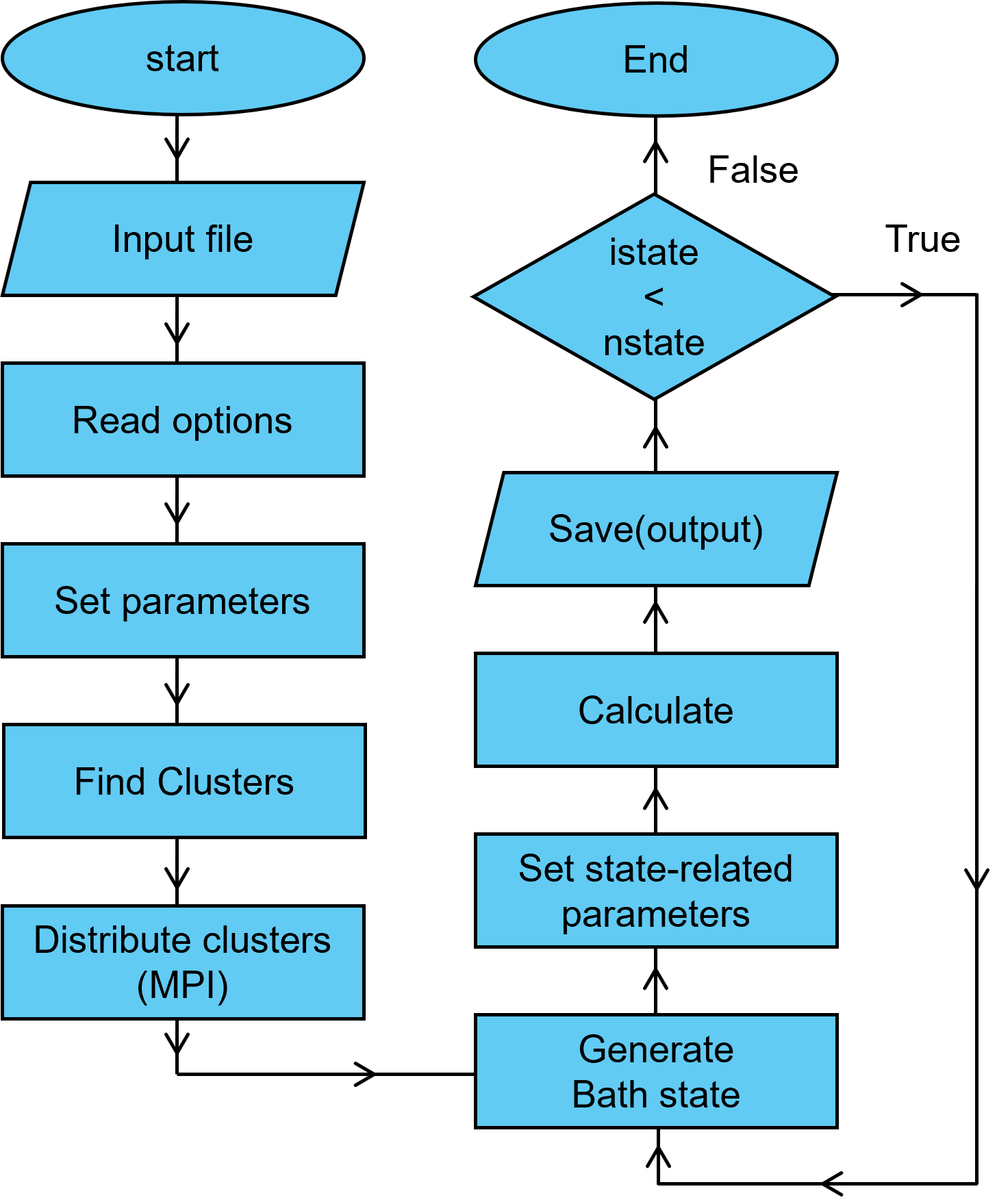
Workflow
The CCEX software follow the below work process.
When you give the arguments in the command line, the code frist read the arguments.
Note that if you don't give the input file accesible with -f option, then the code doesn't work.
Code read the all tags in input file and update the ...

 1.13.2